
|
Published on:
July 30, 2026
|
Published on:
July 30, 2026
Restaurant Call Center Software for High-Volume QSRs
These 10 essential features of restaurant call center software help high-volume QSRs improve order accuracy, speed up service, and create better guest experiences.
Most quick-service restaurants that route orders through call centers share some common traits: they have high off-premise delivery volumes, complex custom ordering patterns, and a high percentage of non-digital customers.
The problem is that many call center setups aren’t up to speed with modern restaurant needs. Agents hunt for customer records, retype orders into a separate POS terminal, and second-guess whether an item is even still available, all while the guest waits on hold.
Issues with inconsistency, confusion, and customer recognition occur when the call center isn’t connected to the critical technology restaurants use every day.
That disconnect shows up as longer handle times, more mistakes, and more callbacks. It directly impacts how satisfied a customer is and how likely they are to return.
Call center ordering needs to be integrated with the menu, pricing, loyalty, and POS systems the restaurant already uses. The right restaurant call center software makes those connections possible, allowing phone orders to receive the same level of speed, accuracy, personalization, and care customers expect from other ordering channels.
Here are 10 essential features that make it possible.
10 essential features for restaurant call center software
For high-volume QSRs, not every call center solution is built to handle the complexity of restaurant ordering. The most effective platforms combine speed and simplicity for agents with the integrations and controls needed to keep every order accurate from call to kitchen. These 10 features are what make the difference.
#1 Telephony integration and automatic customer lookup
When a call comes in, the system should recognize the number and pull up the customer's profile before the agent says a word. No manual searching or asking the guest to spell anything out. That single step cuts a meaningful chunk off average handle time.
#2 One-click reorder and customer history
Regulars tend to order the same thing. Agents should be able to see a customer's past orders immediately and repeat or edit one in a couple of clicks, instead of walking through the whole menu again from scratch.
#3 Real-time menus and POS-connected ordering
The call center menu should only show what's actually available at that specific store at the moment of the phone call. When pricing and inventory sync directly from the POS, agents can't accidentally sell something the kitchen can't make, which means no awkward callback to tell the guest their order needs to change.
#4 Flexible menu customization
Guests customize orders over the phone the same way they would in person or on a mobile app: swaps, extra instructions, specific modifiers. The system should guide agents through those options with built-in rules, so the order that reaches the kitchen is accurate the first time and maps to the POS.
#5 Integrated loyalty and coupons
A guest shouldn't lose out on points or rewards just because they called instead of ordering through an app. Agents can access integrated loyalty programs and coupon wallets during the ordering process, allowing customers to earn rewards and redeem eligible discounts just as they would through other ordering channels.
#6 Personalized upselling
Suggesting a drink or a side is easy to forget mid-call. Built-in upsell prompts, whether rule-based or driven by an AI recommender, put that suggestion in front of the agent automatically, so the opportunity doesn't depend on memory. Personalized upsell prompts help agents catch opportunities they might otherwise miss, which lifts average ticket size.
#7 Order management and POS automation
Once the order is placed, it should route through a central order management system and land in the store POS automatically, with ASAP orders sent right away and future orders held until the kitchen needs to start. Delivery, pickup, and curbside all follow the same flow.
#8 Customer service tools
Agents need context when a customer calls back. The ability to add notes to a guest’s profile and search previous calls and orders gives agents a clearer picture of past interactions, helping them resolve questions faster and provide more consistent service.
#9 Agent performance reporting
Managers need visibility into how the call center is actually performing: call volume, average handle time, average ticket size, and how agents compare to each other. That data is what makes coaching and staffing decisions well-reasoned and justifiable.
#10 Enterprise scalability
For multi-location and franchise operations, the platform needs to support multiple languages and scale across hundreds or thousands of locations. A multi-tenant architecture can serve multiple brands while keeping their data separate, while web-based access lets authorized agents work from any computer with a browser and internet connection. With nothing to install or update on individual machines, distributed teams can scale with less IT overhead.
Make every call count with purpose-built call center software
The right restaurant call center software solves three persistent challenges for high-volume QSRs: speed, by giving agents immediate access to customer and order information; accuracy, by connecting menus, modifiers, order management, and the POS; and consistency, by extending loyalty, coupons, personalization, and customer order history to the call center.
When these systems work together, phone ordering becomes part of the same connected restaurant experience as web, mobile, kiosk, and in-store ordering—not a separate operational silo.
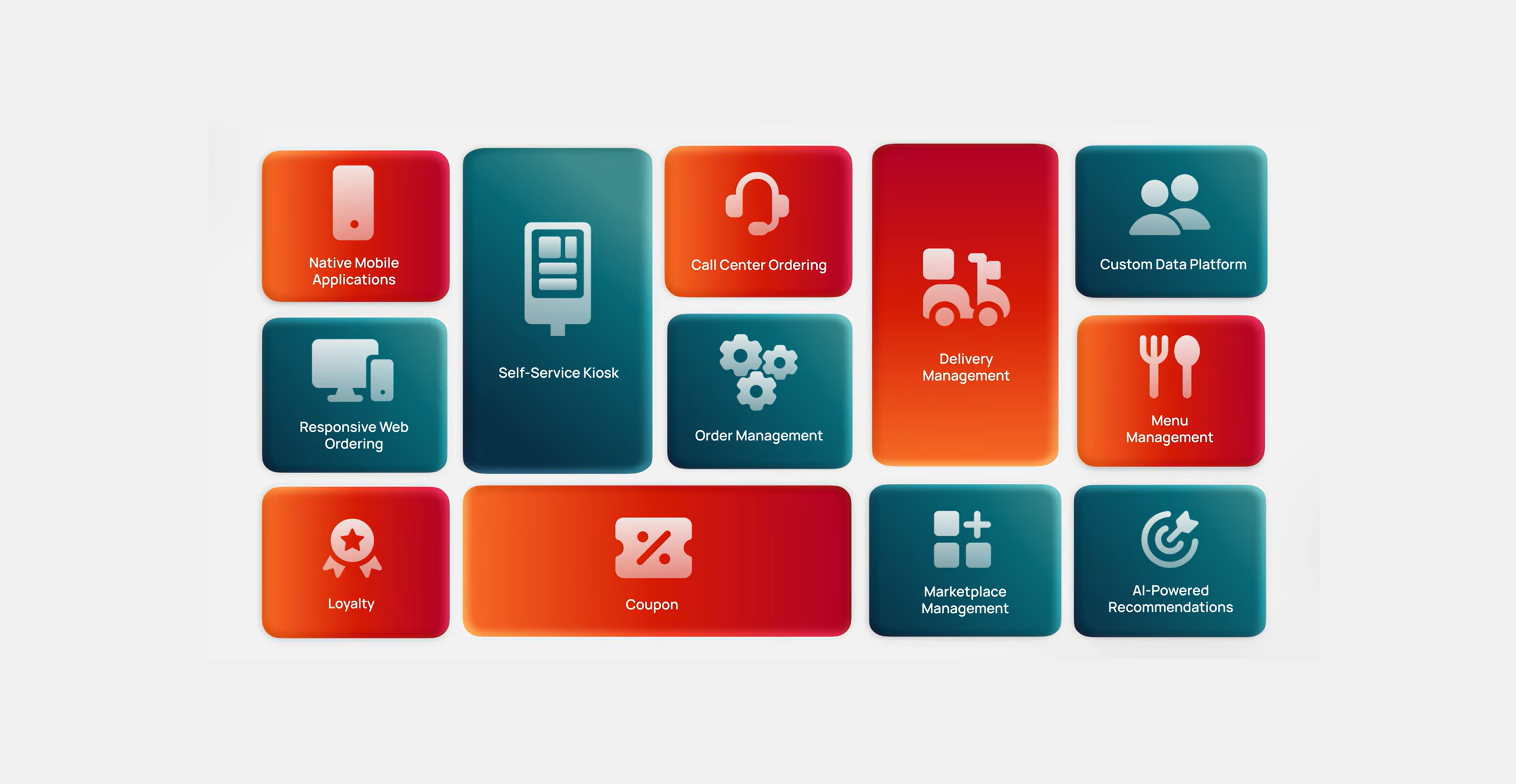
Tillster’s Call Center Application brings these capabilities together into your broader restaurant ecosystem, connecting call center ordering with the technology that powers guest engagement and restaurant operations across channels.
Make every phone order faster, more accurate, and more connected.
Talk to Tillster about modernizing your restaurant call center.
Popular Blogs


Restaurant call center software FAQs
What is restaurant call center software?
Restaurant call center software is a specialized platform that helps restaurants and QSRs manage phone orders, customer inquiries, and inbound calls more efficiently.
Unlike a standard business phone system, it integrates with restaurant technologies like the POS, online ordering platforms, loyalty programs, and customer databases so agents can place accurate orders, recognize customers, and provide faster service.
How does restaurant call center software improve customer service?
Modern restaurant call center software automatically displays customer profiles, order history, loyalty information, and available promotions when a call arrives.
This enables agents to answer questions faster, personalize recommendations, and resolve customer inquiries without asking guests to repeat information they've already provided.
Why is POS integration important for restaurant call centers?
POS integration allows agents to place orders directly into the restaurant POS instead of manually re-entering them.
This reduces errors, keeps menus and pricing up to date, and ensures orders are sent directly to the kitchen. It also improves operational efficiency by eliminating duplicate work and speeding up service.
Can restaurant call center software support multi-location restaurant chains?
Yes. Enterprise restaurant call center platforms are designed for restaurant chains with multiple locations.
Calls can be routed to the correct restaurant, menus and pricing remain location-specific, and corporate teams can manage reporting, branding, and operations across hundreds or even thousands of stores from a centralized platform.