
|
Published on:
October 15, 2026
|
Published on:
October 15, 2026
How to Increase Restaurant Sales with AI Menu Recommendations
Increase restaurant sales with AI menu recommendations. Five ways to use cart data, store trends, and daypart for better upsells.
At the counter, upselling and cross-selling follow a familiar script. A crew member suggests a larger drink or a side of fries. The question takes a few seconds, and every yes adds a few dollars to the check.
Digital ordering makes these suggestions even more relevant and impactful. Your app, website, and kiosks capture order data, and the ordering flow gives you more moments to suggest an add-on, from the menu screen to checkout.
However, fixed rules, such as "offer fries with every burger," are hard to manage as you grow. A rule built for one store doesn't fit a store with a different sales mix, and every menu change means rewriting rules by hand.
Real-time recommendation engines solve this problem. The engine reads the order as the guest builds the meal and picks the add-ons most likely to fit, based on the cart, product pairings, store, time of day, and channel. Tillster regularly sees restaurant brands achieve 24%+ higher average order value (AOV) with real-time AI-powered recommendations.
Here’s how to put real-time recommendations to work and raise AOV without adding friction to the order.
#1 Let the live cart decide the next recommendation
The order itself is the strongest signal. As the guest adds items, the engine predicts the next suggestion from past orders, using both the items in the cart and the order they were added.
The results often look familiar. An entrée with no drink gets a beverage suggestion. A full meal gets a dessert. The engine derives these suggestions from order data rather than a preset sequence, and because these suggestions come from your order data, there’s no preset sequence to write and maintain.
At cart review, the engine returns a ranked list of suggestions. Show only the top few so the screen stays easy to scan.
Start with self-service channels, where the payoff is highest. In Tillster's 2025 Phygital Index, 76% of kiosk users said they order more food or add unplanned items at least some of the time.
#2 Recommend what customers buy together
The obvious pairing isn't always the best performer. Your transaction data might point to a stronger match than the side you'd assume.
The engine learns from historical orders which items guests buy together. If guests who order a particular sandwich often add a specific drink, side, or combo, the next guest who picks that sandwich sees the same suggestion.
Use this to replace fixed cross-selling rules like “always recommend fries.” Let your order data answer a better question: when guests buy this item, what do they add next?
#3 Factor in location and daypart
What sells at one store won't always sell at another. Tillster compared two locations with the same order count and revenue over the same period. Only six of their top 10 products matched, and individual product sales varied widely between the two stores.
Time matters too. Breakfast guests are often more receptive to coffee or hash browns. Dinner guests are more likely to add dessert.
Make sure your engine factors in the store and order time with every recommendation. Before suggestions reach the guest, it should remove items:
- Out of stock
- Off the store's menu
- Outside the current daypart
Set a brand-approved default list to fill the gap when nothing qualifies. A single chain-wide rule has no way to match this precision.
#4 Personalize recommendations with each guest’s order history
The live cart shows what a guest wants right now. When the guest is signed in, their own order history adds what they’ve wanted before. On the app and website, that comes from their account. On kiosks, it comes from their loyalty program ID.
For signed-in guests, the engine can factor in:
- Past orders and the menu categories they buy from most
- Individual product preferences
- Loyalty tier, ordering habits, and other profile details from your customer data
For repeat business, this means suggestions reflect what each guest has ordered before, alongside what guests in general buy together. Guests who order without signing in still get recommendations based on the cart, store, and daypart. To give more guests personalized suggestions, prompt sign-in or a loyalty ID early in the order.
#5 Use customization as an upsell opportunity
Recommendations handle add-on items and combos. Customization handles upgrades inside the item the guest already chose. Build premium options into the customization flow on every channel, such as:
- Extra protein
- Premium cheese
- Specialty sauces
- Extra toppings
- Larger portions
Guests notice these options. Tillster's 2025 Phygital Index found 62% of kiosk users have come across menu items or customization options new to them while ordering.
Keep the flow simple. Offer additions relevant to the meal the guest is building, and leave unrelated promotions out of the customization step.
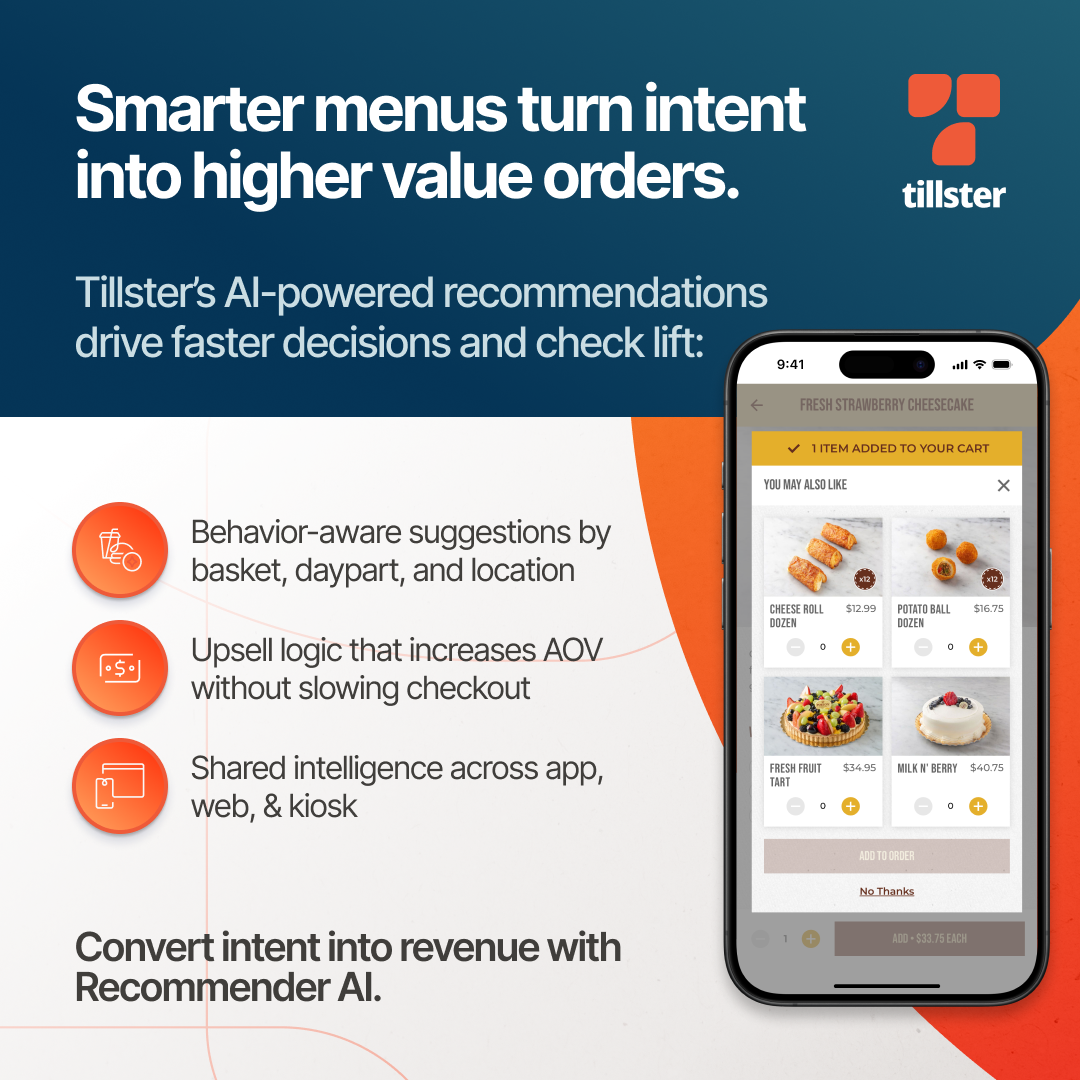
Better upselling starts with better context
More prompts don't mean more revenue. The best recommendation fits the order, the store, and the moment.
Tillster's AI-powered Recommendation Engine gives you:
- A model built for your brand, trained on your own transaction, behavior, and menu data
- Suggestions aligned with your active menu and excluded items
- Results tracking to measure how recommendations perform
- Flexible deployment: add the engine to your current ordering setup, or run the full Tillster platform with ordering, kiosks, and recommendations connected
Talk to Tillster about raising AOV across your ordering channels
Popular Blogs

AI Recommendations for Restaurant Sales FAQs
Should upsells change by store location and time of day?
Yes. Sales data varies more between stores than most brands expect. When Tillster compared two locations with the same order count and revenue, only six of their top 10 products matched.
Daypart matters too: breakfast guests are often more receptive to coffee or hash browns, while dinner guests are more likely to add dessert. Recommendations should also exclude items that are out of stock, off the local restaurant menu, or outside the current daypart.
How do customizations raise AOV?
Customization lets guests upgrade the item they already chose. Premium options like extra protein, premium cheese, specialty sauces, and larger portions add to the check without asking the guest to add another item.
Build these options into every channel, including online ordering and kiosks. Guests notice them: in Tillster’s 2025 Phygital Index, 62% of kiosk users said they’ve found new menu items or customization options while ordering.
How are AI menu recommendations different from rule-based upselling?
Rule-based upselling relies on fixed prompts, like offering fries with every burger, that have to be rewritten by hand whenever the restaurant menu changes.
For fast food restaurants with many locations, that gets hard to manage, since a rule built for one store won’t fit another with a different sales mix.
An AI recommendation engine learns from your sales data instead, using the live cart, product pairings, store, daypart, and channel to choose the add-ons most likely to fit each order.
How do product pairings increase restaurant AOV?
A recommendation engine learns from historical orders which items guests buy together. When the next guest orders a particular sandwich, they see the drink, side, or combo past guests most often added.
This replaces fixed rules that push the same side dishes with every entrée, and suggestions grounded in real buying patterns help boost restaurant sales and average order value.
Can AI menu recommendations work with my existing online ordering system?
Yes. Tillster’s Recommendation Engine can be added to your current ordering setup or run as part of the full Tillster platform, with ordering, kiosks, and recommendations connected.
It works across your direct ordering channels, including app, website, and kiosks, and uses the store, daypart, and current restaurant menu to keep suggestions relevant.
Built-in results tracking shows how recommendations perform, so you can measure how much they increase restaurant revenue.
Do AI menu recommendations work for takeout and kiosk orders?
Yes. Recommendations run across your app, website, and kiosks, so the same logic applies to takeout sales and in-store orders.
On every channel, keep the experience focused: show only the top few suggestions at cart review, build premium upgrades into your digital menu design, and leave unrelated promotions and limited-time offers out of the customization step.