.jpg)

|
Published on:
July 23, 2026
|
Published on:
July 23, 2026
Digital Menu Basics for Modern Restaurants
Digital menu technology is transforming restaurants. From digital menu boards and kiosks to QR code menus and mobile apps. Here’s what you need to know.
Digital menus took off in earnest in the early 2000s, when quick-service restaurants needed an easier way to change menus across dayparts without spending time manually updating signage. They’ve come a long way since then.
Today, digital menus are a foundational tool for restaurants—improving order accuracy, simplifying menu updates, and creating a more seamless experience across in-store and digital channels. A well-designed digital menu system allows operators to update menu content quickly as prices change, items sell out, or limited-time offers are launched.
They’re also important for helping guests make quicker decisions, nudging them towards upsells, and helping them discover new menu items—whether they’re standing at the counter, tapping through a kiosk, scanning a QR code, or browsing a restaurant menu on a website or mobile app.
In this blog, we walk through how digital menus are used across quick-service and fast-casual restaurants—and the key factors that make them effective for both operators and guests.
Core types of digital menus restaurants use
While every restaurant has its own layout and service model, most modern digital menus fall into a few core categories—including in-store and drive-thru digital menu boards, self-service kiosks, QR code menus, and website and mobile app menus.
In-store digital menu boards and digital signage
In-store digital menu boards are dynamic digital displays that replace static printed menus. They’re typically mounted behind the counter, above pickup areas, or in other high-visibility zones, and are designed to present core menu items, pricing, and promotions at a glance.
What in-store digital menu boards are used for
These digital boards serve as the primary menu reference for guests ordering at the counter or waiting to pick up their food. Operators use them to display current menus, highlight featured items or limited-time offers, and adjust content throughout the day to reflect different dayparts, locations, or availability.
The strengths of in-store digital menu boards
Compared to printed signage, digital menu boards are far easier to manage and update. Prices, menu items, and promotions can be changed instantly without reprinting or replacing materials. When used well, they create a visually engaging experience that helps guide guest attention, reinforce brand identity, and support upsell opportunities.
Important design and implementation considerations for in-store digital menu boards
Behind the scenes, digital menu boards are powered by digital signage software paired with media players or digital signage players. These tools allow teams to schedule content, manage playlists, and keep displays consistent across locations.
From a design standpoint, clarity is critical: layouts should be easy to scan, text should remain readable from a distance, and content should be structured to support quick decision-making without overwhelming guests.
Drive-thru digital menu boards
Drive-thru digital menu boards are outdoor digital displays designed specifically for the drive-thru lane. They replace static panels with dynamic, high-brightness screens built for visibility from a vehicle and readability in changing lighting and weather conditions. In more advanced setups, these boards feature AI voice ordering technologies and dynamically update menu content based on guest recognition.
What drive-thru digital menu boards are used for
These menus act as the primary decision-making tool for drive-thru guests, who often have only a few seconds to scan options and place an order. Operators use drive-thru digital menu boards to present streamlined menus, shift content by daypart, and surface limited-time offers or featured items that support fast ordering and high throughput, with some brands beginning to incorporate more responsive elements such as voice-enabled interactions or context-aware menu changes.
The strengths of drive-thru digital menu boards
The biggest advantage of drive-thru digital menu boards is reducing drive thru wait-times by facilitating faster decision-making. When designed well, drive-thru menus reduce ordering friction and help keep cars moving during peak periods, making them one of the highest-impact digital menu formats for QSRs.
Important design and implementation considerations for drive-thru digital menu boards
Because drive-thru guests have limited time and distance constraints, clarity matters more than density. Layouts should prioritize large text, high contrast, simplified item groupings, and strategically placed featured items.
From a technology standpoint, drive-thru boards often run on the same digital signage software used inside the restaurant, powered by media players or digital signage players. Using a shared platform makes it easier to keep drive-thru menus aligned with indoor boards, kiosks, and digital ordering channels—so the menu experience stays consistent no matter how guests choose to order.
Self-service kiosks as interactive digital menus
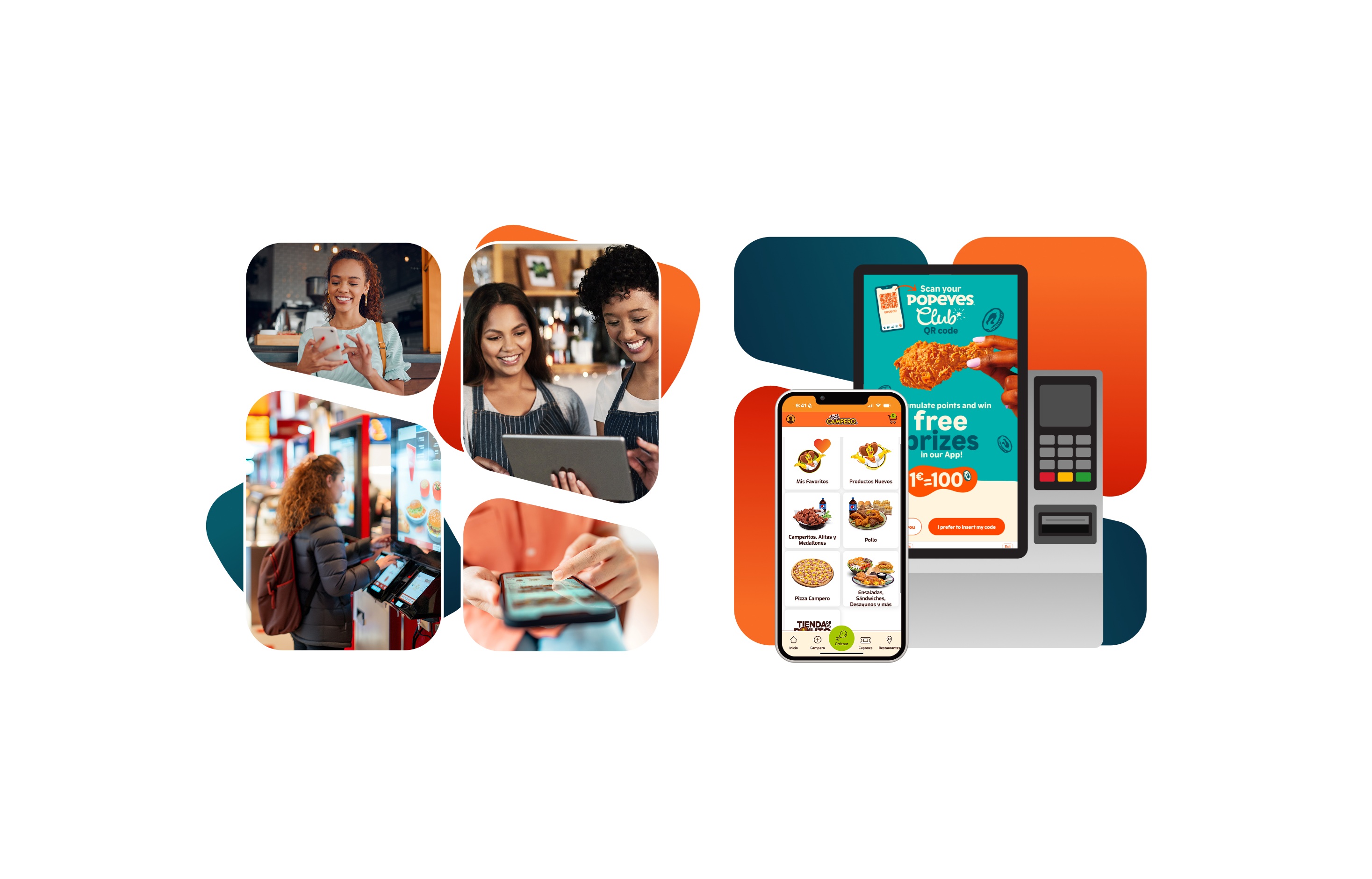
Self-service kiosks are interactive, touch-based digital menus that allow guests to browse, customize, and place orders directly on-screen. Unlike traditional digital menu boards, kiosks combine menu presentation with ordering and checkout in a single experience—and are available in multiple formats, including wall-mounted, freestanding, and tabletop configurations to suit different restaurant layouts and service models.
What self-service kiosks are used for
Kiosks are used to offload ordering from the front counter, reduce lines, and give guests more control over how they order, helping restaurants deploy staff where they add the most value. They’re especially effective in high-volume environments, where allowing customers to take their time exploring the menu helps balance speed, accuracy, and throughput.
The strengths of self-service kiosks
One of the biggest advantages of kiosks is their ability to support complex menus and higher order values. Depending on the guest, kiosks can enable either quick, efficient ordering or deeper menu exploration. Because guests aren’t rushed, kiosks make it easier to explore modifiers, add-ons, and bundled items. Restaurants can also configure intelligent upsells and recommendations—such as suggesting sides, drinks, or upgrades at specific points in the ordering flow—helping increase average check size while keeping the experience intuitive.
Behind the scenes, kiosks run on more advanced menu and ordering software than static displays. Strong kiosk software is highly customizable: operators can define rules for modifiers, control how items appear based on time of day or availability, and ensure orders are structured correctly before they ever reach the kitchen. This reduces errors, improves consistency, and lightens the load on staff.
Important design and implementation considerations for self-service kiosks
From a design perspective, kiosks must balance depth with simplicity, using clear hierarchy and intuitive navigation to keep ordering friction low.
From an implementation standpoint, reliability matters just as much—kiosks should remain responsive during peak hours, continue functioning through connectivity issues, and stay tightly integrated with centralized menu and ordering systems to ensure consistency across channels.
QR code menus for on-premise dining
QR code menus let guests access a digital menu on their own device by scanning a code at the table, counter, or entrance—without downloading an app or waiting for a printed menu. If a restaurant already has a mobile app, scanning the QR code can also open the app directly, making it easier to recognize returning guests and connect the menu to their existing account or preferences.
What QR code menus are used for
They’re commonly used in dine-in and fast-casual settings to give guests quick access to the menu, especially when staff are busy or lines are forming. QR codes can also be placed beyond the restaurant itself—such as elsewhere in a mall or transit area—to enable preordering and pickup later, inspiring guests to order before they arrive.
The strengths of QR code menus
QR code menus are easy to update and inexpensive to maintain. Operators can keep pricing, availability, and menu content accurate without reprinting materials, making them useful for frequent menu changes or limited-time offers.
Important design and implementation considerations for QR code menus
Because QR code menus live on a guest’s phone, they should be mobile-optimized, fast to load, and easy to navigate. While they don’t replace kiosks or digital menu boards, they work best as a complementary option within a broader digital menu strategy.
Menus on websites & mobile apps
Website and mobile app menus are fully interactive and live within a restaurant’s owned digital channels. Unlike static menu pages, these menus are tightly connected to ordering, promotions, and guest accounts—often serving as the backbone for a brand’s digital experience.
What digital menus on web and mobile apps are used for
These menus are often the first point of interaction between a guest and a restaurant. Guests use them to explore the menu ahead of a visit, place pickup or delivery orders, and engage with the brand through promotions, loyalty programs, and personalized offers. For many restaurants, web and app menus also drive a significant share of off-premise and repeat business.
The strengths of web and app menus
Website and app menus offer the highest level of flexibility and customization. Operators can support complex item configurations, surface targeted promotions, and tailor menu experiences based on factors like location, time of day, or ordering method. These menus are often tied to loyalty programs, saved preferences, and past orders—making it easier to personalize recommendations and streamline reordering for returning guests.
Because these menus are integrated with ordering, payments, and customer data systems, they can also support advanced use cases like bundled offers, loyalty-based pricing, exclusive app-only items, or promotional logic that changes dynamically based on guest behavior.
Important design and implementation considerations for web and app menus
To be effective, website and mobile app menus need to balance depth with usability. Navigation should make it easy to browse large or customizable menus without friction, especially on smaller screens.
From an implementation standpoint, these menus work best when they’re powered by a centralized menu system that integrates cleanly with ordering, loyalty, and in-store channels. Managing menus in one place—and deploying them consistently across web, mobile, kiosks, and signage—helps reduce errors, speed up updates, and create a more cohesive guest experience.